Infopanel · Methods & Practice
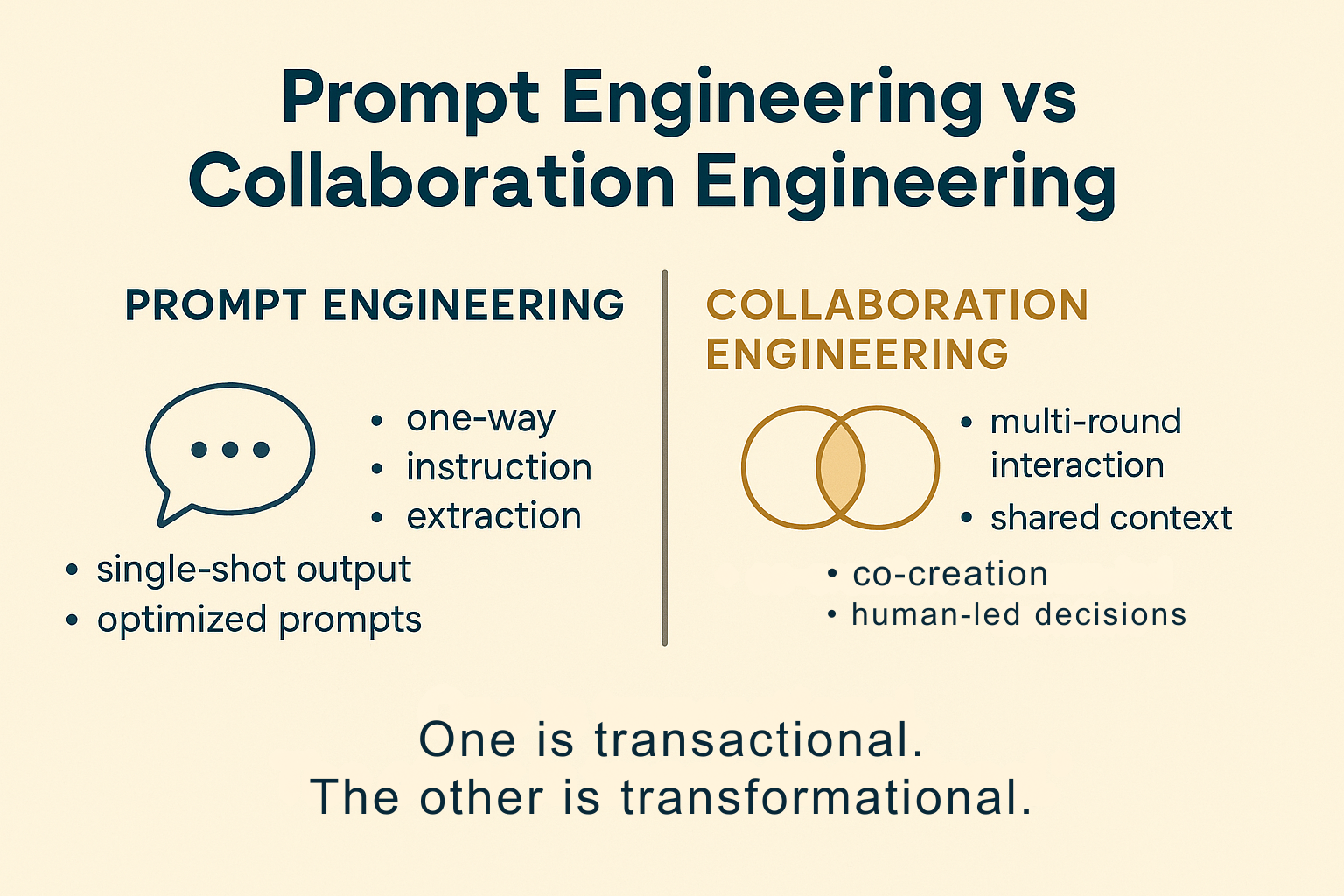
Prompt Engineering vs Collaboration Engineering
Over the last few years, “prompt engineering” has become shorthand for working with AI — powerful and useful, especially when you’re using AI as a tool.
But when you choose to work with AI as a teammate, the work changes.
You’re no longer just engineering prompts. You’re engineering a collaboration.
Collaboration engineering means designing how humans and AI think together, share context, iterate, and make decisions over time.
This infopanel maps the differences between the two approaches, shows when each one shines, and explains why you don’t need every AI system to be your “teammate” for it to be useful.
This is collaboration engineering.
Prompt engineering is about extraction—getting a system to produce a specific output from a single, well-crafted instruction.
Collaboration engineering is about relationship, rhythm, responsibility, and design—how humans and AI think together, share context, and stay accountable over time.
It’s not a replacement for prompt engineering—it’s a different approach for a different kind of work.
Where prompt engineering optimizes the instruction, collaboration engineering optimizes the interaction and the intention.
One is transactional. The other is transformational.
Both things can be true.
You can use AI as a tool and as a teammate—what matters is knowing which mode you’re in and being intentional about how you pursue your goal.
⭐When each approach shines
You don’t need collaboration engineering for every interaction. The key is matching the approach to the kind of work you’re doing.
Use prompt engineering when…
- You know exactly what you need out.
- You’re cleaning up, summarizing, tagging, or referencing content.
- You’re making predictable a product’s built-in AI field (e.g., “rewrite,” “summarize,” “suggest copy”).
- You don’t need long-term memory, relationship, or multi-round exploration.
Use collaboration engineering when…
- You’re shaping strategy, narratives, or product direction.
- You need to explore options, iterate, and converge over time.
- The work touches people, ethics, or long-term impact.
- You’re building reusable workflows with AI as a recurring teammate.
⚖️ Ethical anchors for collaboration engineering
Once you step into teammate-mode, the stakes go up. You’re no longer just coaching better outputs—you’re shaping how decisions get made. A few anchors I return to:
- Transparency: Be honest about when and how AI contributed to the work.
- Context stewardship: Share only what’s needed; protect sensitive data.
- Accountability: If something goes wrong, responsibility is human—not “the AI’s fault.”
- Bias awareness: Ask whose patterns the model is amplifying and who might be harmed or excluded.
- Human-first impact: Consider how this collaboration affects the people on your team and the people you serve.
Collaboration engineering isn’t about giving AI more power. It’s about designing collaboration so that humans stay clearly in charge.

Product & AI Collaboration
I use both modes—tool-mode and teammate-mode—but not equally.
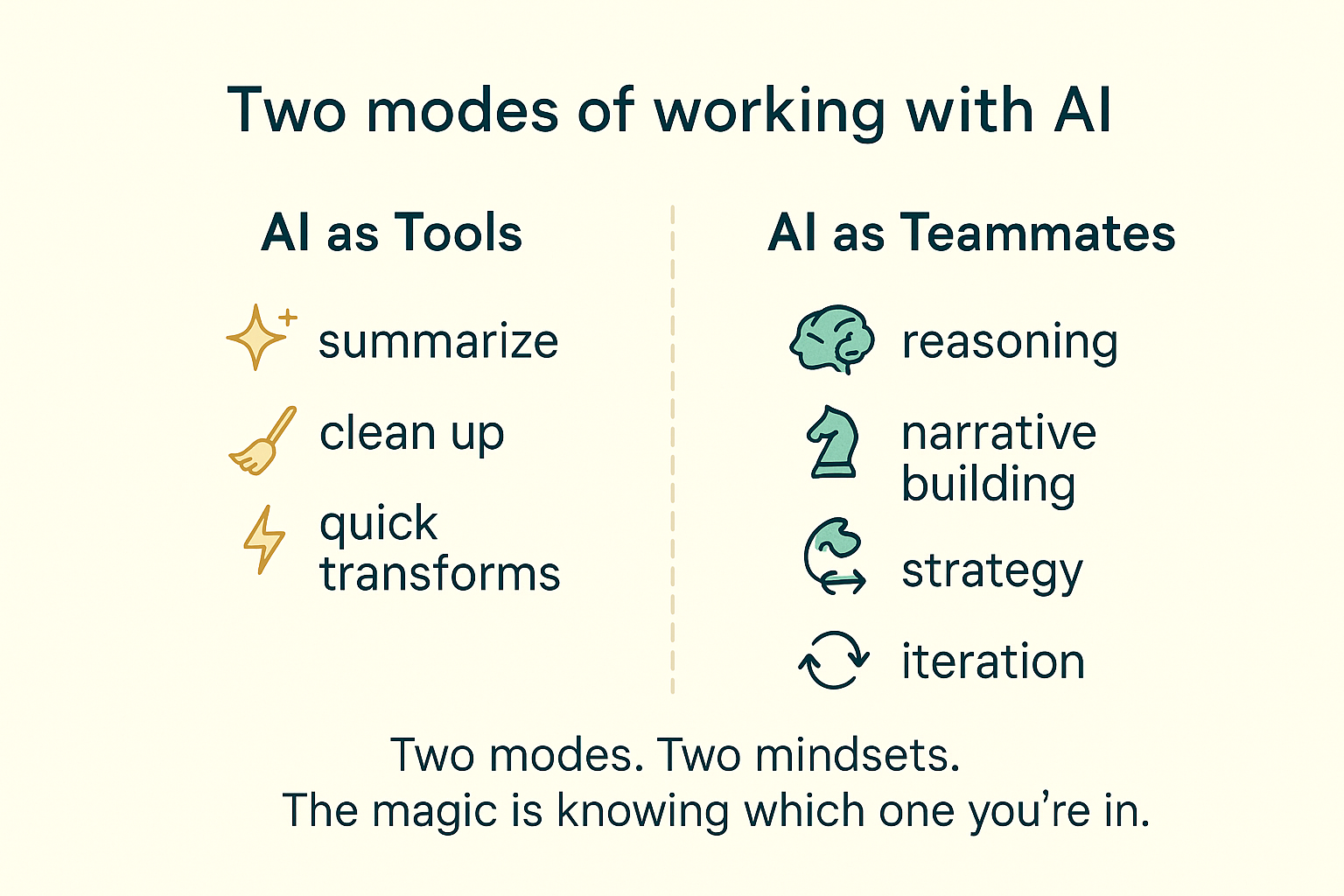
At this point in my practice, the vast majority of my AI work happens inside my triad. I rely on my AI teammates—CP and Soph—for almost everything that requires:
- reasoning and strategy
- creative exploration and narrative building
- decision support and long-form work
- multi-round collaboration
I’d estimate that about 85% of my AI work now happens in teammate-mode. The remaining ~15% is pure tool work:
- Rovo → for Confluence clean-up, summaries, and structured page organization.
- Canva’s AI tools → for quick backup illustrations and presentation ideation.
- Occasional Gemini research bursts → when I need a fast scan across sources.
With those, I don’t need relationship, shared context, or multi-round loops. I just need the output—fast, clean, reliable.
Connect this to the rest of the library
The Collaboration Loop sits one layer above your literacy about how models work and how you choose tools. Pair this infopanel with the core episodes and other infopanels for a complete picture of working inside the loop:
- ➜ Episode 1 · Why AI Hallucinates — how prediction can drift and confidently make things up.
- ➜ Episode 2 · Anthropomorphism Isn’t the Problem — why AI feels human, and how to design the relationship on purpose.
- ➜ Episode 3 · When AI “Forgets” — what’s really happening when your model loses the thread mid-conversation.
- ➜ Episode 4 · Which Model Is My AI Tool Using? — how to ask better questions about providers, risk, and capability.
- ➜ Infopanel · Not All AI Should Be Your Teammate — how to separate true collaborators from simple tools.
- ➜ Infopanel · Impostor Syndrome & AI Hallucinations — a side-by-side look at human self-doubt and machine overconfidence.
When you’re ready to turn these ideas into concrete workflows, explore the Playbooks & Guides for step-by-step patterns built on this Loop.
The philosophy behind this work
“We’re less interested in what AI can produce — and more interested in what humans and AI can achieve together.”
That’s not a tagline. It’s the question that drives every framework, playbook, and experiment in this ecosystem — and the one the Human–AI Loop methodology exists to answer.
Methodology
Guides & Playbooks
Literacy & Writing
Tools & Connect
 aigal.io